Data & Infrastructure Service
Conversion Tracking & Analytics Setup
Stop running your ads blind. We implement pixel-perfect tracking infrastructure using Google Tag Manager and GA4, ensuring every lead, call, and sale is accurately attributed to the exact ad that drove it.
Book Free Strategy Call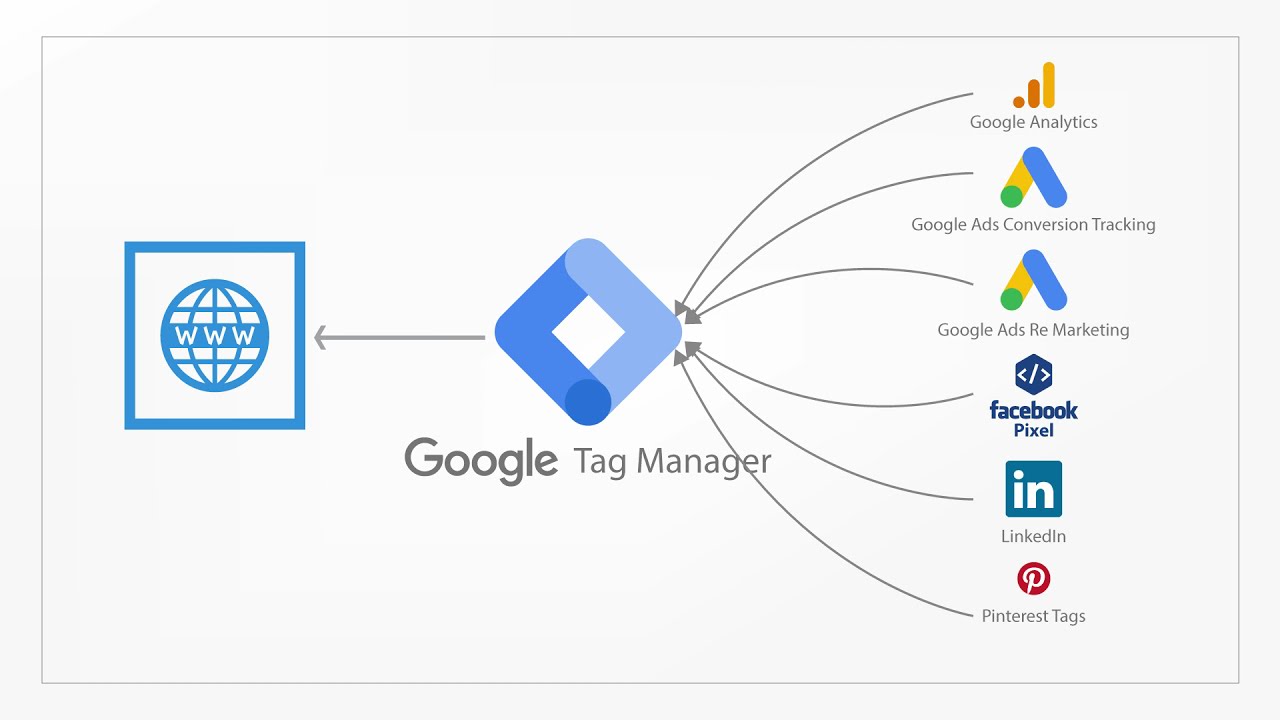
Pixel Perfect
100% Data Accuracy
How we build your data pipeline
1
Audit & Blueprint
We review your current website code, identify broken pixels, and map out every action a user takes that matters to your business.
2
Tag Implementation
We install a clean Google Tag Manager container, inject your tracking scripts, and set up your core conversion events.
3
QA Debugging
We run rigorous live tests—submitting forms and clicking buttons—to guarantee the data is firing correctly into your dashboards.
Setup Deliverables
We handle the complex technical code so you can focus strictly on the business metrics.
Google Tag Manager
Creating a centralized GTM container to deploy all future tracking pixels without needing to edit your website's source code ever again.
GA4 Configuration
Setting up Google Analytics 4, linking data streams, and ensuring traffic sources and user demographics are captured cleanly.
Ads Conversion Tracking
Building the vital feedback loop to Google Ads. We create primary conversion actions to feed the algorithm and lower your acquisition costs.
Custom Event Tags
Tracking the specific actions that matter to you: lead form submissions, phone call clicks, email clicks, or dynamic e-commerce purchases.
Live Event Testing
Using GTM preview modes and real-time analytics to ensure tags fire exactly when they should, and absolutely never duplicate.
Who this is for
Blind Advertisers
You are running Google or Meta ads, but your dashboards show "0 conversions" even when you get leads.
GA4 Migrators
You struggled to switch to the new Google Analytics 4 interface and your data isn't matching up properly.
Scaling E-Commerce
You need advanced dynamic tracking to push exact transaction values and cart data back to the ad platforms.
Analytics Setup
One-Time Payment
$150–$300
Complete data pipeline installation. You own all containers and data.
Book Strategy CallPricing Tiers Explained:
$150 Lead Gen Setup
Perfect for service businesses. Tracks basic events like contact form submissions, phone call clicks, and page views.
$300 E-Commerce Setup
Advanced tracking for online stores. Passes dynamic revenue, "Add to Cart", and "Begin Checkout" data back to Google Ads.
Frequently Asked Questions
Will you need the login to my website?
Yes, to do this correctly, we will need temporary administrator access to your website's backend (WordPress, Shopify, etc.) to place the base tag code. Once we install Google Tag Manager, we rarely need website access again.
Why do I need Google Tag Manager if I already have Analytics?
GTM acts as a middleman. Instead of hard-coding 10 different tracking scripts directly into your website (which slows down load speeds), you put one GTM script on your site. We then manage all the other tags inside the GTM dashboard cleanly.
Does this include Meta/Facebook Pixel setup?
This base service is strictly for the Google ecosystem (Ads, GA4, GTM). However, because we install Tag Manager, we can easily add your Meta Pixel configuration onto the package during our strategy call.
How long does the setup process take?
A standard lead-generation tracking setup takes 1-2 business days. Advanced e-commerce setups involving data layers and dynamic revenue tracking typically take 3-4 days to fully test and verify.
Stop guessing, start measuring.
Book a free infrastructure audit. We will review your current website tags and show you exactly where your data is leaking.
Book Your Tracking AuditNo commitment required. 30-minute Zoom call.